How to Book Your First Class
A simple, step-by-step guide to reserving your spot in our beginner HIIT Pilates class. No tech skills required — booking takes about 2 minutes.
Step 1: Click “Book Now”
From any page on our website, look for the BOOK NOW (FIRSTFREE) button and click it. This will take you to our booking page where you can choose your class.
Step 2: Select Your Appointment
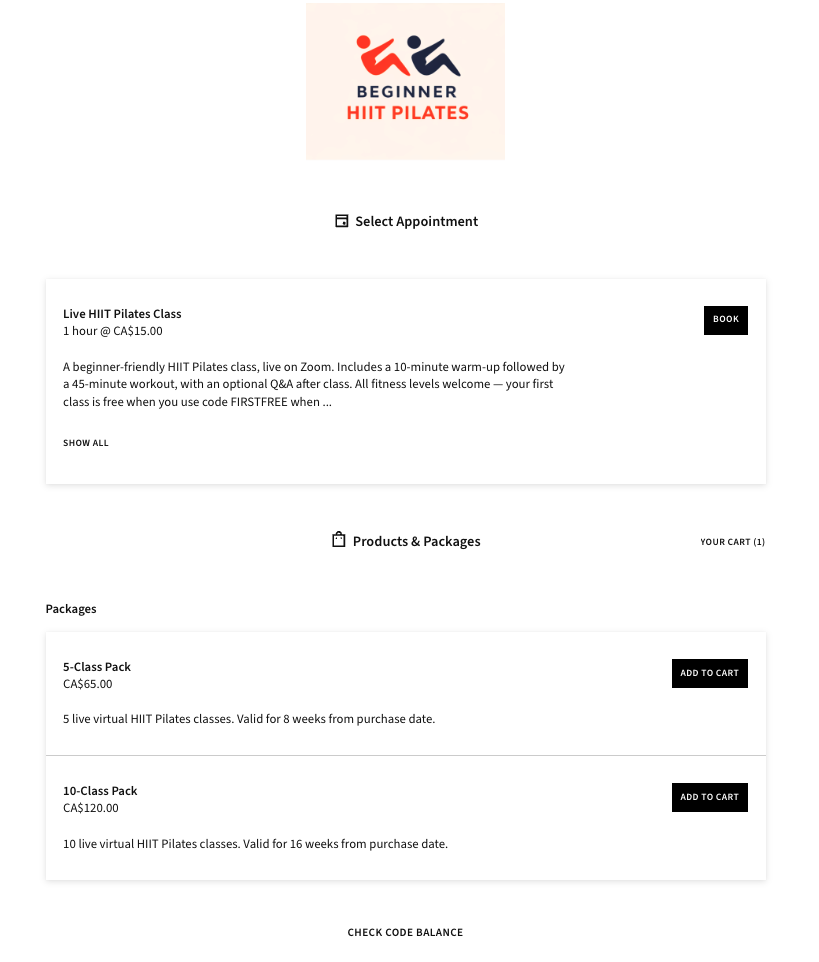
You’ll see the booking page with three options:
• Live HIIT Pilates Class — CA$15.00 per class. Click the BOOK button next to it to book a single class.
• 5-Class Pack — CA$65.00 (save $10). Valid for 8 weeks.
• 10-Class Pack — CA$120.00 (save $30). Valid for 16 weeks.
For your first class, click the BOOK button next to “Live HIIT Pilates Class.” You’ll apply the free class code later at checkout.
Step 3: Pick Your Date and Time
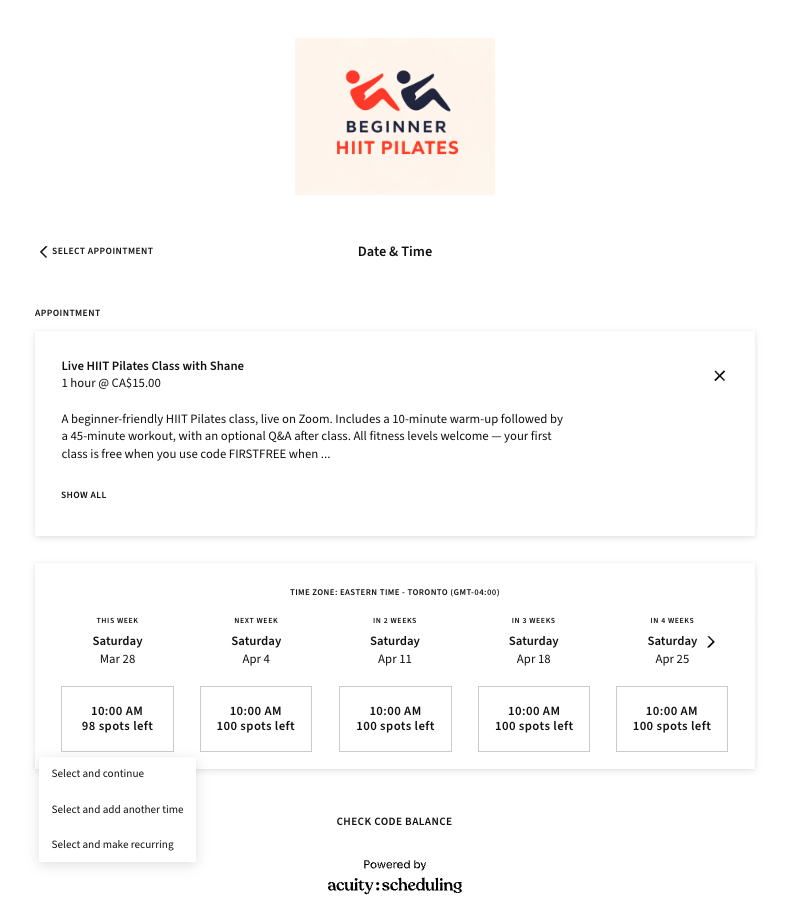
You’ll see a calendar showing available Saturday class times. Each column shows a different Saturday with the time (10:00 AM) and how many spots are left.
Click on the date you want to attend. A drop-down menu will appear with three options:
• “Select and continue” — choose this if you want to book just one class
• The other two options are for booking multiple classes at once
For your first class, click “Select and continue.”
Step 4: Enter Your Information
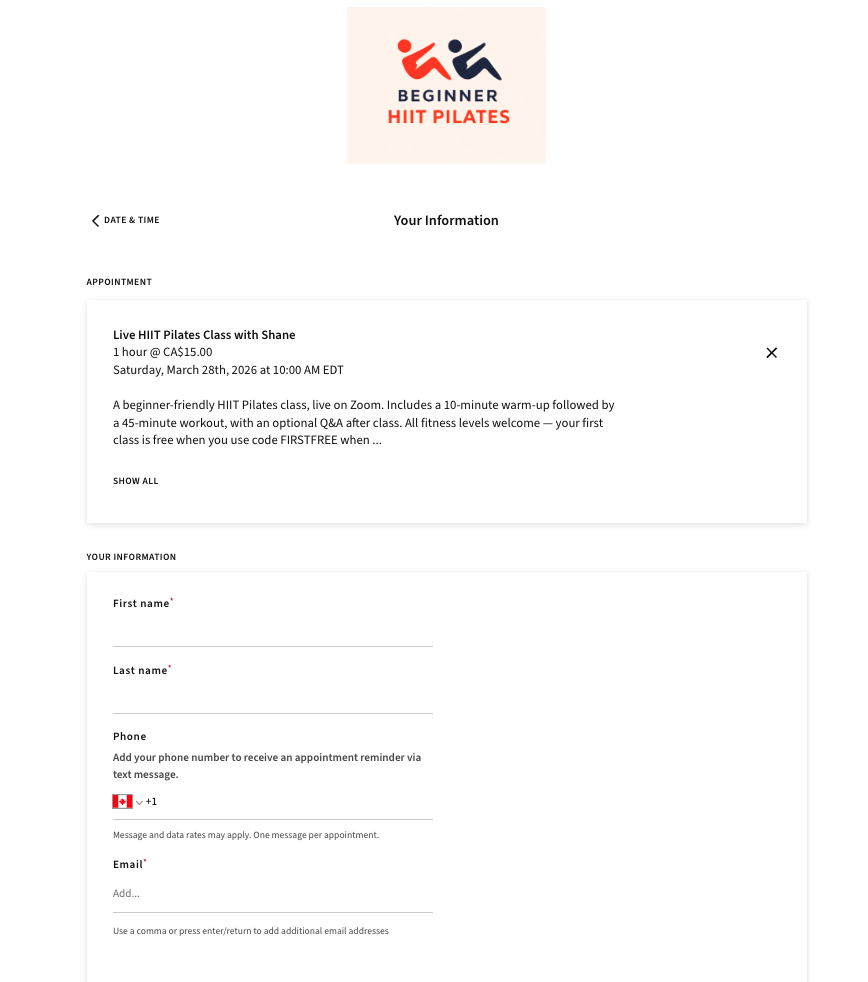
Fill in the following details:
• First name (required)
• Last name (required)
• Phone number (optional — for appointment reminders via text)
• Email (required — this is where your confirmation and Zoom link will be sent)
Step 5: Accept the Waiver and Tell Us How You Found Us
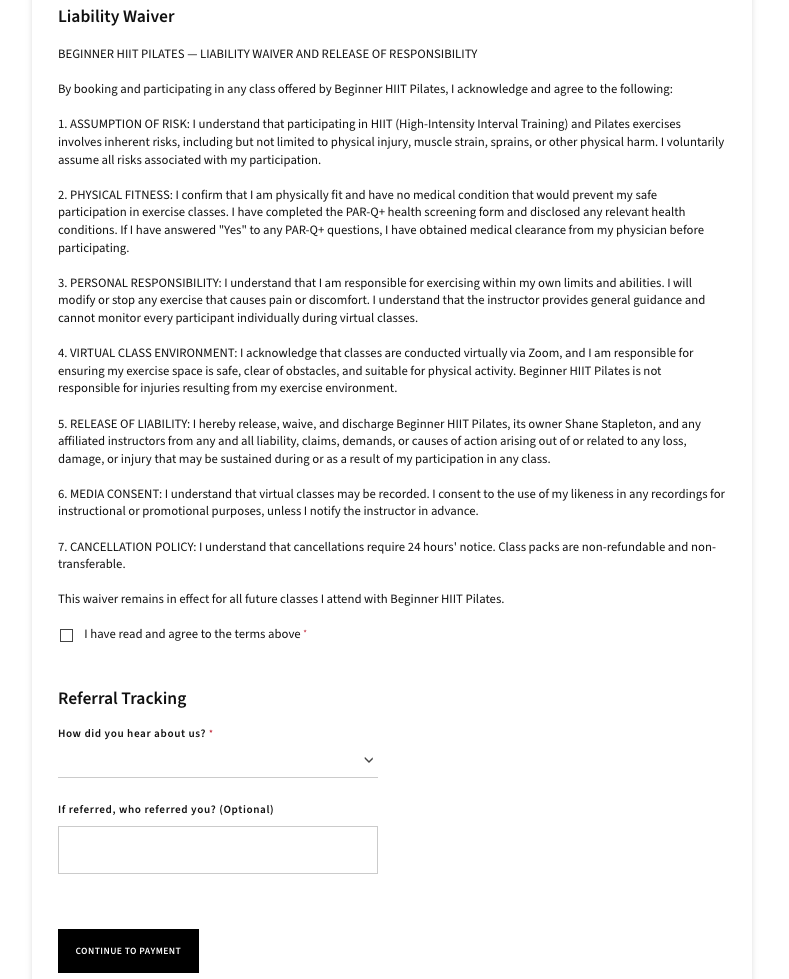
Scroll down below your contact details. You’ll need to:
• Read and accept the Liability Waiver — this is a standard fitness waiver required before your first class
• Tell us how you heard about us (required) — just select the option that applies
• If someone referred you, you can optionally enter their name
Step 6: Complete Payment
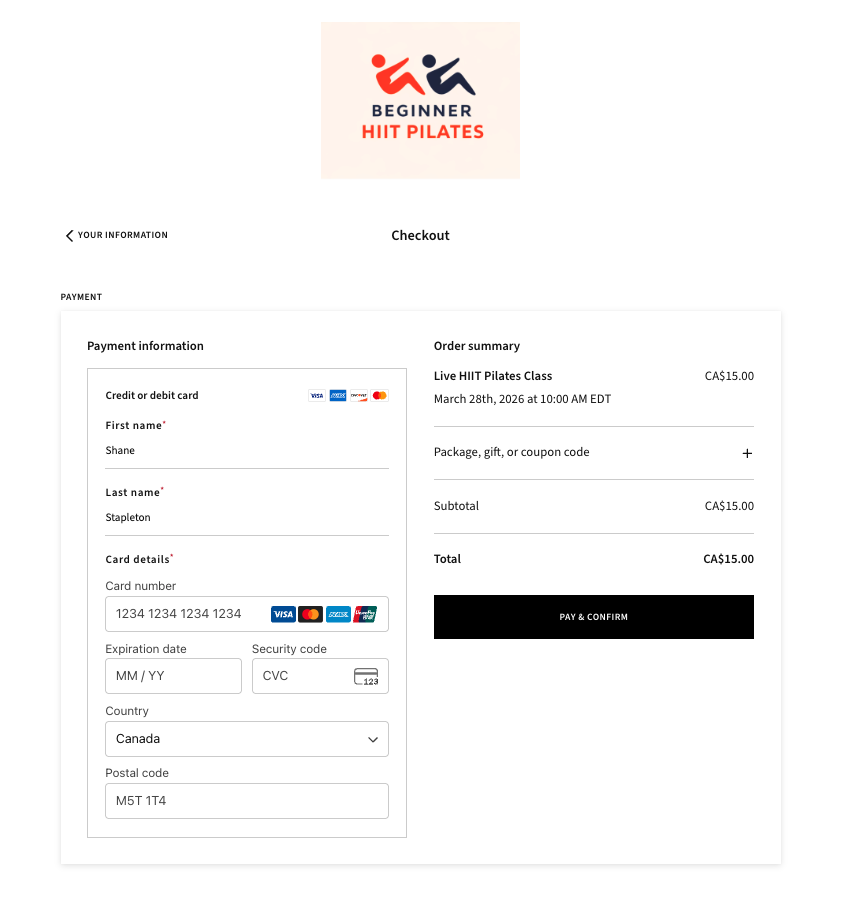
Click continue to go to the checkout page. You’ll see the order summary on the right side showing your class details.
Your first class is free! Look for the “Package, gift, or coupon code” field on the right side of the checkout page. Click the + button, type FIRSTFREE, and apply it. Your total will change to $0.00.
Then click “Pay & Confirm” to complete your booking.
Step 7: Check Your Email and Join on Saturday
After booking, you’ll receive a confirmation email with all the details, including the Zoom link for your class. On Saturday morning, open that email and click the Zoom link. That’s it — you’re in!
Have a mat ready, wear comfortable clothes, and bring some water. Camera is always optional.
Helpful Tips
• You don’t need a Zoom account to join. Just click the link and it will open in your web browser or the Zoom app.
• Your camera is always optional. You can participate with video off if you prefer.
• No special equipment needed. A mat and some space is all you need. Light weights are optional.
• Having trouble? Email us at shane@beginhiitpilates.com and we’ll walk you through it personally.
-
No. The FIRSTFREE code zeros out the cost of your first class, and there's no automatic charge afterward. You only pay if you choose to book again — drop-in ($15 CAD), a 5-Class Pack ($65 CAD), or a 10-Class Pack ($120 CAD).
-
Eastern Time (Toronto, Canada). That's 7 AM Pacific, 8 AM Mountain, 9 AM Central, 3 PM UK, and 4 PM Central Europe.
-
Yes. The 5-Class Pack must be used within 8 weeks of purchase, and the 10-Class Pack within 16 weeks. Plan to use them weekly to get full value out of each pack.
-
A short liability waiver is part of the booking flow. It's a good idea to check with your doctor before starting any new exercise program. Every exercise has modifications — email shane@beginhiitpilates.com ahead of class with what you're working with and Shane will point you to safer options.
-
Yes. The Bring a Friend rate is $10 CAD for their first visit, after which they can use any of the regular pricing options. Email shane@beginhiitpilates.com a day or two ahead so Shane can coordinate access for the day.